OpenClaw alternatives, and the computer each one needs
The closest OpenClaw alternative is Hermes Agent: free, MIT-licensed and built for one person. For the smallest hardware, PicoClaw and ZeroClaw run as a single small program; for isolation, NanoClaw puts each agent in its own container; and if you mostly want an agent for code, Claude Code or Codex. All six are self-hosted, and with the AI model in the cloud all of them run on a computer you already own. You need a Mac only for iMessage.
The six, side by side
Each row comes from the project's own README or docs, read on 19 October 2026. Memory is what the agent itself needs with the model in the cloud; a local model needs far more (see the figures).
| Best for | Licence | Written in | Memory it needs | |
|---|---|---|---|---|
| Hermes Agent | The nearest like-for-like swap: chat apps, memory, skills it writes itself | MIT | Python | No published minimum; its README says it runs on a $5 server |
| NanoClaw | Isolation: every agent in its own Linux container | MIT | TypeScript | Needs Docker, which asks for at least 4 GB |
| ZeroClaw | One small Rust program with 30+ channels and ~20 model providers | MIT or Apache 2.0 | Rust | No published minimum |
| PicoClaw | The cheapest hardware: Linux boards from $10 | MIT | Go | Under 10 MB, or 10–20 MB in recent builds |
| nanobot | A small, readable Python codebase with a browser UI | MIT | Python | Over 100 MB, by PicoClaw's comparison |
| Claude Code or Codex | Coding and file work from a terminal, with a paid plan | Codex: Apache 2.0; Claude Code: commercial | – | 4 GB minimum; Codex recommends 8 GB |
For comparison, OpenClaw's own docs ask for 1 GB of memory, one processor core and 500 MB of disk, and recommend 2 GB.
Hermes Agent: the closest swap
Hermes Agent is Nous Research's open-source agent. Like OpenClaw it lives on your computer and answers you in Telegram, Discord, Slack, WhatsApp, Signal and more, keeps a memory of you and writes its own reusable skills. The difference is who it's for: Hermes is a single-person agent, while OpenClaw is built to be shared by a team that trusts each other. OpenClaw's docs even have a page on migrating from Hermes. Hermes vs OpenClaw compares the two row by row.
What it needs: an Apple silicon Mac, Windows 10 or 11, or Linux. Nous publishes no memory minimum, so any computer that can stay on will do with a cloud model.
NanoClaw: when isolation matters most
NanoClaw was written as a reaction to OpenClaw's size: its README says the author "wouldn't have been able to sleep" giving software he didn't understand full access to his life. It is one process and a handful of files. Each agent runs in its own Linux container and sees only the folders you mount, and agents never hold your API keys: a credential gateway adds them to each request. It runs on Anthropic's Claude Agent SDK, so it needs a Claude account, and channels such as WhatsApp, Telegram, Slack and iMessage are added one at a time.
What it needs: macOS or Linux (Windows through WSL2), Node.js 22 and Docker. Docker Desktop asks for at least 4 GB of memory, so plan on 8 GB or more.
ZeroClaw: one small program, many channels
ZeroClaw is a single Rust program. It talks to Anthropic, OpenAI, Ollama and about 20 other model providers, and reaches you through more than 30 channels, including Discord, Telegram, Matrix and email. By default it runs supervised: risky actions need your approval and the riskiest are blocked. It can also drive hardware pins on a Raspberry Pi.
What it needs: Linux, macOS, Windows or FreeBSD, and no published memory minimum. A Raspberry Pi or the oldest computer you have is enough with a cloud model.
PicoClaw: the smallest
PicoClaw is a Go program from Sipeed, the board maker, written to run on a $10 Linux board. Its README puts it under 10 MB of memory, with a note that recent builds use 10–20 MB. It supports MCP servers, a browser setup page, and routes simple questions to cheaper models to save on API costs.
What it needs: almost any Linux device, from a Raspberry Pi Zero 2 W up. It is the one alternative here that makes buying a computer pointless.
nanobot: small and readable
nanobot, from the University of Hong Kong's data intelligence lab, keeps its code small enough to read. It has a browser UI and a terminal UI, long-term memory, scheduled tasks, MCP support and chat apps including Telegram, Discord, Slack and email. It works with cloud models through any OpenAI-compatible API, or with a local model server.
What it needs: Python 3.11 or newer on macOS, Linux or Windows. Installers for all three are one line.
Claude Code or Codex: if the work is mostly code
Claude Code and Codex aren't chat-app assistants like OpenClaw; they work in a terminal, on files and code. If what you wanted from OpenClaw was an agent that edits, builds and fixes things on a computer, either may be simpler. Claude Code needs a paid Claude plan or API account; Codex works with a ChatGPT plan or an OpenAI API key.
What they need: 4 GB of memory at least, and Codex recommends 8 GB. Both run on macOS, Linux and Windows.
Which computer for which alternative
With the model in the cloud, none of these needs a new computer: start on one you have, set it never to sleep, and buy only when it's in your way. When you do buy, the choice depends on what you add to the agent, not which agent you picked:
- PicoClaw, ZeroClaw, Hermes or nanobot on their own: any small box. A refurbished office desktop costs about $237 and about $1.74 a month to leave on.
- NanoClaw, or any agent with browsers and several tools open: 16 GB or more.
- iMessage: a Mac, whichever agent you run.
- A local model instead of a cloud one: 16 GB for a 14B model, 32 GB or more for 30B and up.
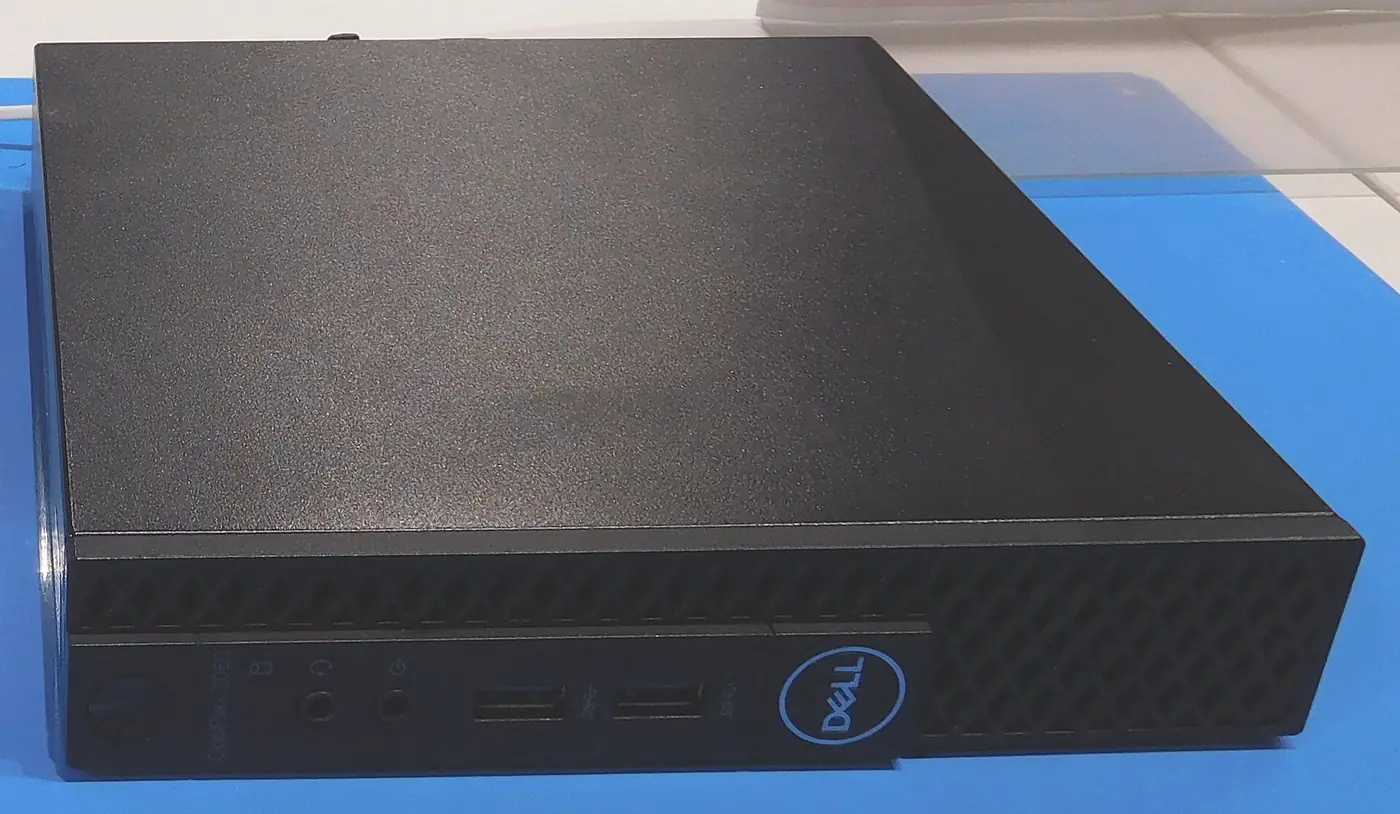
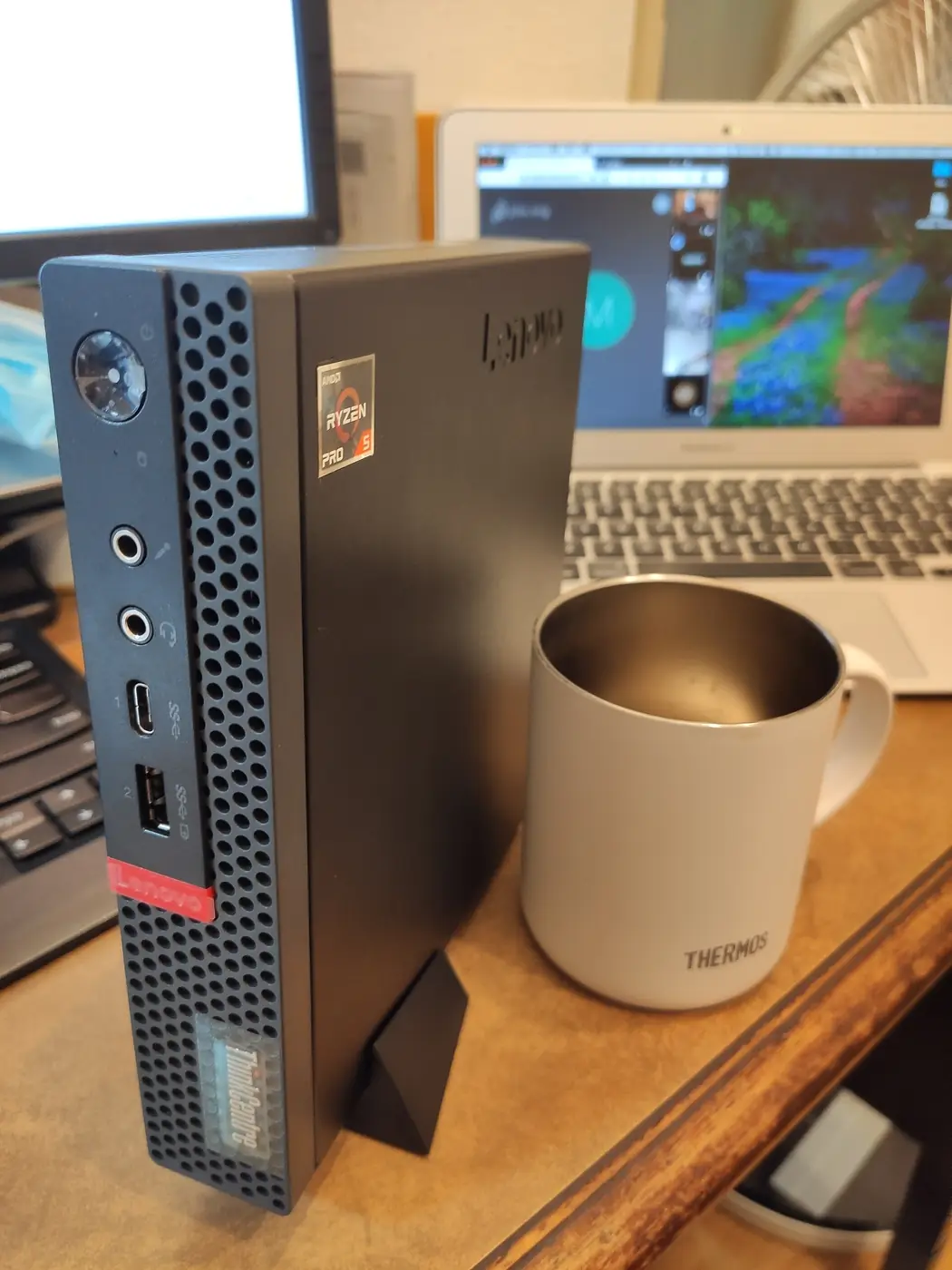
Cloud-model agent, always on, cheapest box with 16 GB that doesn't feel slow. Intel Core i5-9500T (6-core), 16 GB memory, 256 GB NVMe SSD.
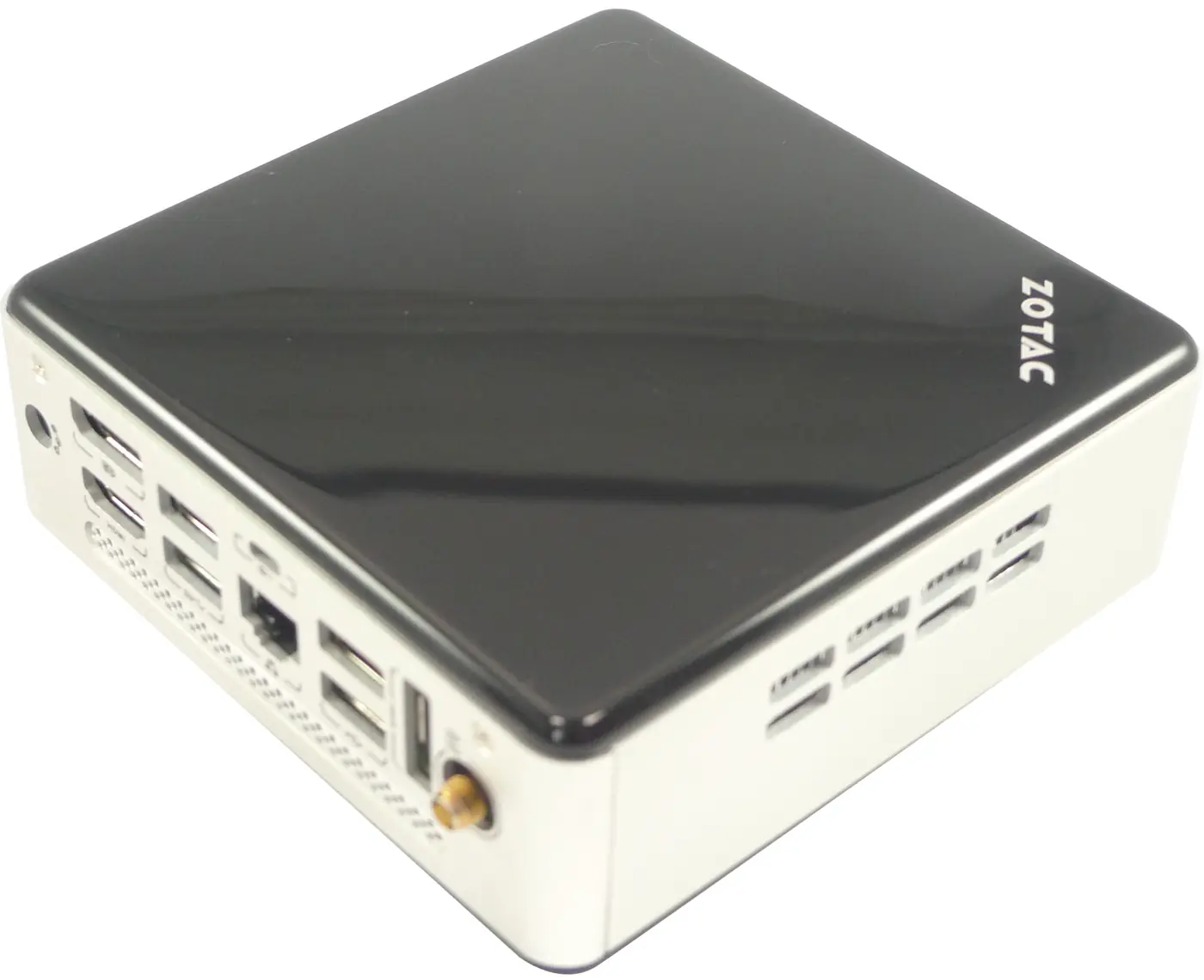
Cloud-model agent on a new, quiet N150 box with 16 GB and a built-in power supply; the popular homelab pick. Intel N150 (4-core), 16 GB memory, 500 GB SSD.
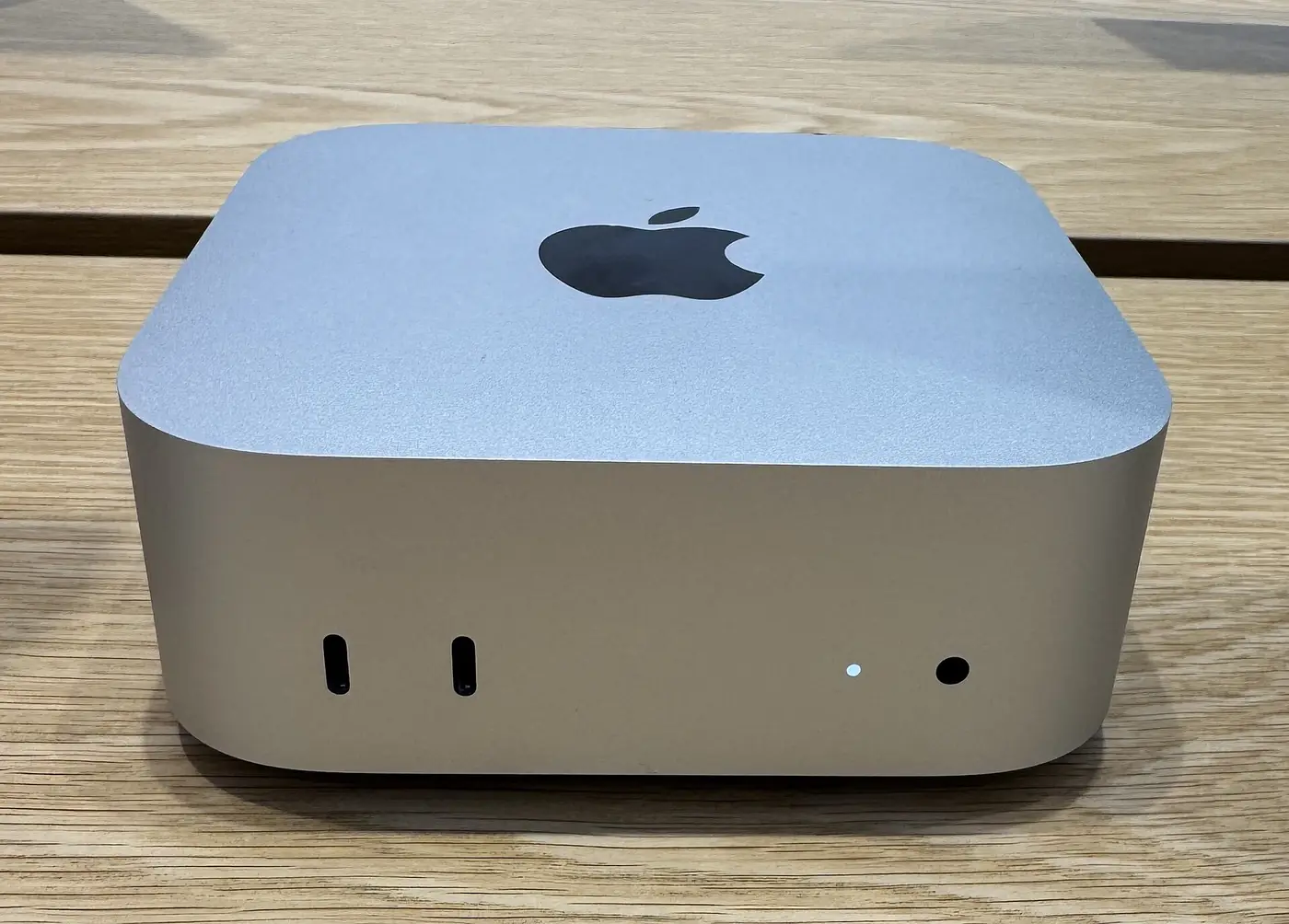
Always-on cloud-model agent on macOS (needed for OpenClaw's iMessage), silent and 4 W at idle. Apple M6, 12-core CPU, 12-core GPU, 153 GB/s, 16 GB memory, 256 GB SSD.
Amazon links on this site are affiliate links: if you buy, I may earn a commission, at no cost to you. As an Amazon Associate I earn from qualifying purchases. Nobody pays to be picked.
Or answer three questions and get one machine. For one agent on one kind of computer, there are short answers such as Hermes on a Raspberry Pi, Hermes on a mini PC and Codex on a mini PC, all listed on Can it run? If you're weighing a Mac for iMessage, see whether you need a Mac mini.
When to stay with OpenClaw
OpenClaw has the most channels and companion apps of any of these, a non-profit foundation that signs its releases, and the largest community of skills and guides. If you share an agent with people you trust, need iMessage, or want the most help when something breaks, it is still the default. If it's the risk that worries you, Is OpenClaw safe? covers the precautions that apply to every agent on this page. If it's the bill, what OpenClaw costs breaks it down. The model is most of it, and that's the same whichever agent you run.
Questions
What is the best OpenClaw alternative?
For most people it's Hermes Agent. It does the same job (chat apps, memory, skills it writes itself), it's free and MIT-licensed, and it can import an OpenClaw setup. Pick NanoClaw if you want every agent in its own container, PicoClaw or ZeroClaw for very small hardware, and Claude Code or Codex if the work is mostly code.
Is there a free OpenClaw alternative?
Yes. Hermes Agent, NanoClaw, ZeroClaw, PicoClaw and nanobot are all free, open-source software. Like OpenClaw, you still pay for the AI model unless you run one locally. Codex is open source but needs a ChatGPT plan or an OpenAI API key, and Claude Code needs a paid Claude plan or API account.
What is the lightest OpenClaw alternative?
PicoClaw. Its README puts it under 10 MB of memory (10 to 20 MB in recent builds) and it was written for a $10 Linux board. ZeroClaw is also a single small program. OpenClaw itself asks for 1 GB.
Which OpenClaw alternative isolates the agent best?
NanoClaw. Each agent runs in its own Linux container, sees only the folders you mount and never holds your API keys. That limits what one agent can reach. It doesn't make the agent safe, and anything it reads can still try to steer it.
Can I move from OpenClaw to Hermes Agent without starting over?
Yes. Hermes has a hermes claw migrate command that imports OpenClaw's persona, memories, skills, messaging settings and allowlisted API keys, and OpenClaw's docs have a page on migrating from Hermes the other way. See Hermes vs OpenClaw.
Do I need a new computer to switch?
No. With the model in the cloud, every alternative here runs on a computer you already own. You need a Mac only for iMessage, and more memory only for NanoClaw's Docker containers or a local model.
Sources
- GitHub: Hermes Agent (checked 19 October 2026)
- Hermes Agent docs: Platform support
- GitHub: NanoClaw (checked 19 October 2026)
- Docker docs: Install Docker Desktop on Mac (system requirements)
- GitHub: ZeroClaw (checked 19 October 2026)
- GitHub: PicoClaw (checked 19 October 2026)
- GitHub: nanobot (checked 19 October 2026)
- Claude Code docs: Advanced setup (system requirements)
- openai/codex: Installing and building (system requirements)
- OpenClaw docs: Install (system requirements)
- OpenClaw docs: Migrating from Hermes
How to use this guide
The recommendations in this guide draw on the linked documentation, stated requirements and dated price examples. They are not a scored performance benchmark or a promise that a particular setup will work for every task. Check the source date beside a claim before buying or changing a system.
Start with the task, the software it needs and a computer you already own. Compare the whole cost: hardware, model usage and time to check the work. Hardware purchases may earn this site an affiliate commission; paid setup is optional.
Updated : added answers to common questions and links to the cost guide and the "Can it run?" pages. The project details are still from the 19 October 2026 reading of each repo.